Your money, guarded.
Every login, approval and transfer is checked, so the only person moving your money is you.
Protection built into every account.
Biometrics and PINs
Log in with your face or fingerprint, and confirm every transfer with a PIN.
Two-person approvals
Large payouts wait for a second person on your team to approve them.
Roles for every staff member
Cashiers, accountants and managers see and do only what they need.
Instant alerts
Every credit, debit and login shows up straight away, so nothing goes unnoticed.
Encrypted connections
Your data and every payment travel over encrypted connections.
Fraud checks
Limits and risk rules check transfers before money leaves your account.
You hold the keys.
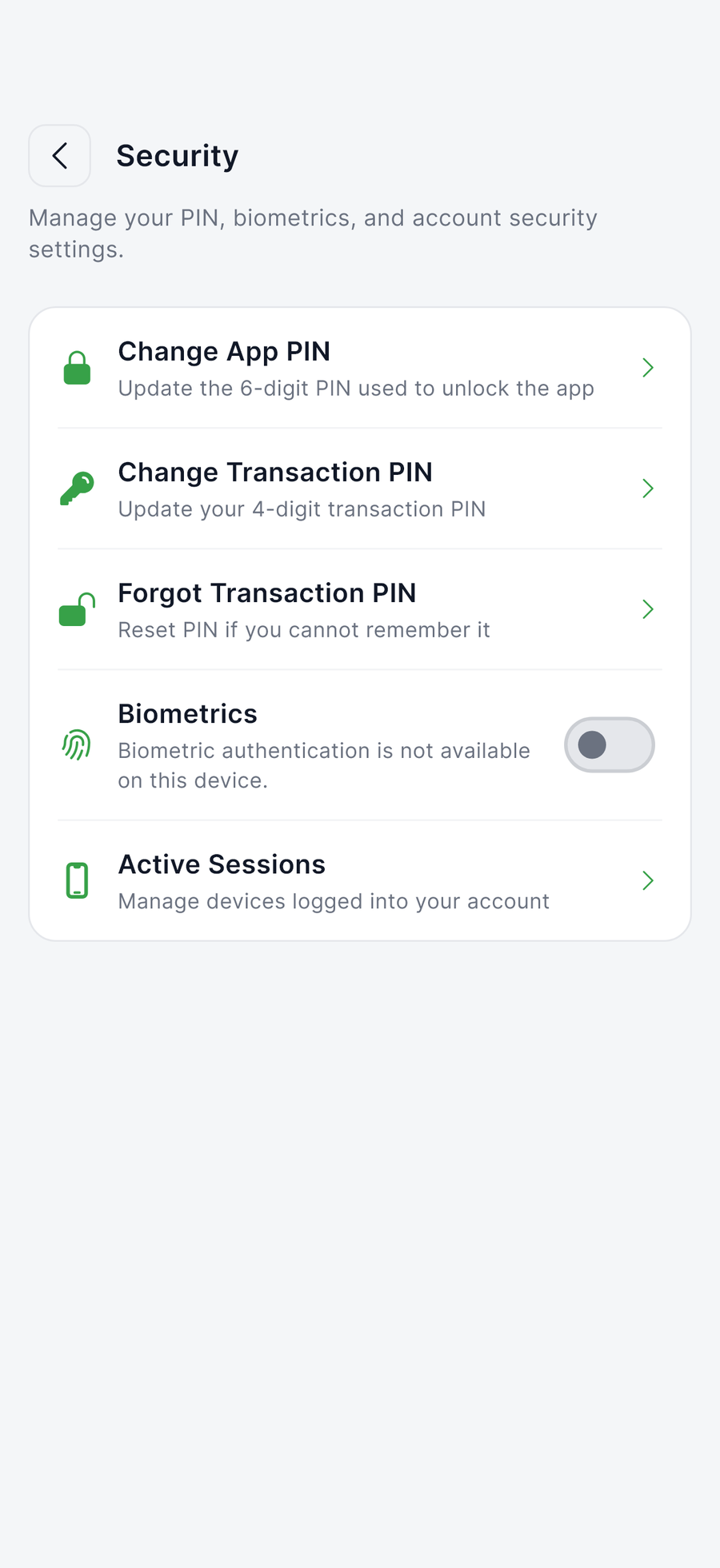
Change your app PIN or transaction PIN, turn on biometrics and see every device signed in to your account, all from the CSwitchPay app.
- Change PINs any time
- Biometric login
- See and end active sessions
Staying safe
Most fraud starts with someone asking for a code. A few habits keep your merchant account safe.
- We will never ask for your PIN, password or one-time codes. Not by phone, SMS, email or WhatsApp.
- Check the account name on every transfer before you confirm it.
- Only log in at our website or in the official app from the App Store or Google Play.
- Remove team members as soon as they leave.
Report a vulnerability
Found a security issue? Tell us first.
We welcome reports from security researchers. Give us reasonable time to fix the issue before sharing it, and don't access or change other people's data while testing.
Send a report
Ready when you are.
Open a merchant account from your phone and start taking payments today.